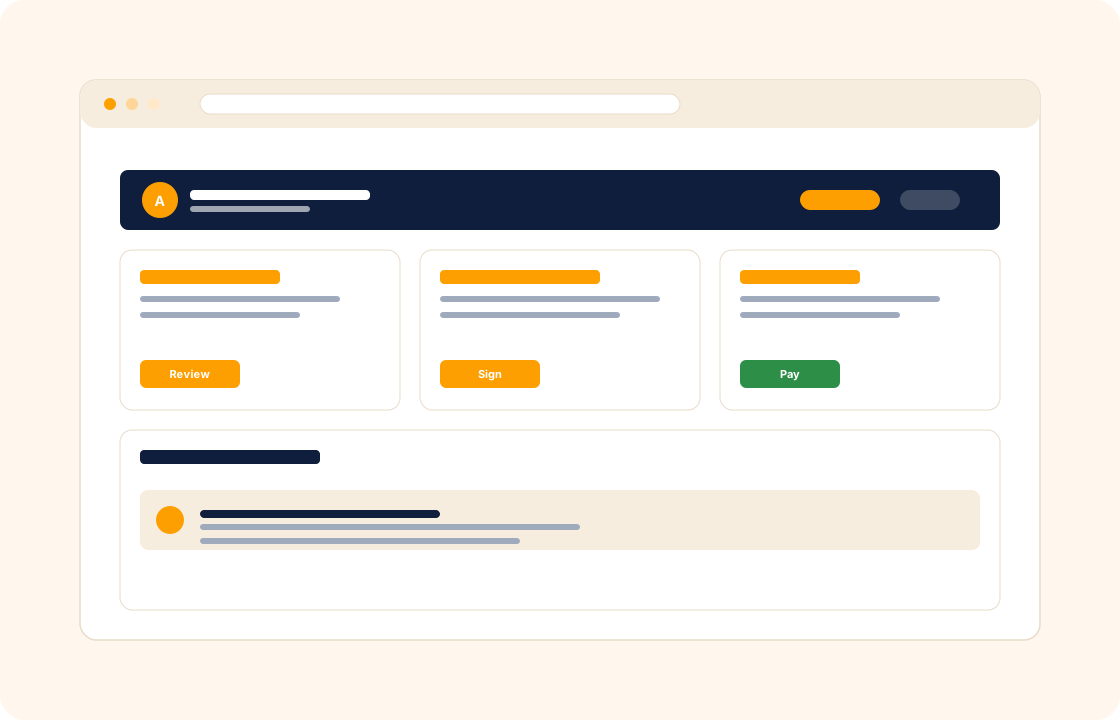
The client portal used to be an enterprise feature. Now, every freelancer who sends a proposal, signs a contract, runs a project, and bills an invoice has the same need: a single place where the client can find everything — without an email thread, a Dropbox link, a separate billing portal, and a printed-signed-scanned PDF in someone's downloads.
COLO ships a client portal as a first-class part of the workspace. Each client gets their own branded login — your colours, your logo, your custom domain — where every document, decision, and payment for their work lives in one place.
TL;DR
COLO's client portal gives each client a secure login to their own proposals, contracts, projects, invoices, files and chat. The portal carries your colours and logo, and on Grow plans your own custom domain. Clients review documents, sign off, comment and pay online from the same screen, so the portal — not your inbox — becomes the place they check.
What you can do
- Give each client a secure login with access only to their own proposals, contracts, projects, invoices, and chat.
- Brand the portal as your own — colours, logo, and on Grow plans a custom domain so clients never see a competitor brand.
- Surface every document in one place — proposals to review, contracts to sign, invoices to pay, files to download, milestones to approve.
- Capture client decisions inline — sign-offs, approvals, comments — all timestamped against the right record.
- Take online payment from inside the portal so the same screen that shows the work also collects the money.
- Keep clients informed without back-and-forth emails — the portal becomes the place they check, not your inbox.
For interior designers
A residential project moves through design, procurement, and installation — each phase with its own approvals, supplier costs, and invoice. The client logs into a branded portal where each phase has its own folder: mood boards to approve, procurement lists to sign off, photos of the installation as it happens. They never have to search their email for "which version of the kitchen plan was the final one" — the answer is on the portal.
For wedding planners
A couple plans a wedding over twelve months across vendor coordination, timeline updates, and deposit schedules. The portal is the single source of truth — the venue contract, the catering quote, the day-of timeline, the running tally of paid and outstanding deposits. The couple's parents-of-the-bride and groom can be given limited access too, without seeing the comms between you and the couple.
For marketing agencies
Across ten client accounts, the portal is the brand surface your clients see most often. Each client logs in to their own dashboard with the campaigns in flight, the monthly report, the next invoice, and the chat thread with their account lead. On the Grow plan, the portal runs on your domain — so every login reinforces your brand, not your competitor's.
How it connects with the rest of COLO
The portal is the outward-facing surface of the workspace. Every client record maps to one portal login. Proposals sent become "proposals to review" on the client's dashboard. Signed contracts appear as accessible documents in their archive. Active project management shows them progress, milestones, and what they need to approve next. Invoicing and payments gives them a single place to pay every bill — and chat and messages replaces email as the channel they reach you on. From the client's side, the portal is the entire relationship; from your side, it is one consequence of running the workspace.
A day with the client portal
Monday morning, three clients log into their portals from three time zones — one to approve a fabric, one to sign a renewal contract, one to pay an outstanding invoice. Each portal is branded on the studio's custom domain (on the Grow plan); each client sees only their own work. The portal is the durable surface where the client returns whenever the relationship needs an answer — "when is the next deliverable?", "where is the contract I signed last year?", "what have I paid this quarter?"
Through the week, the portal absorbs the "where are we?" questions that used to come as emails. A client mid-project wants to see the latest design boards; the portal shows them under the relevant milestone. A second client wants to invite their finance manager to handle invoice payment; you add the second portal user with payment-only access in two minutes. A third client wants the year's invoice history for their tax filing; the portal exports it as PDF without a custom request to you.
By Friday, the portal has handled most of the routine client comms. The chat threads, the document downloads, the invoice payments, the milestone approvals all happened on the client side without intervening on yours. Your inbox stayed quieter than it used to; the client got faster answers than they would have got from email; the brand surface they saw all week was yours, on your domain.
What it replaces in your stack
For most freelancers and small studios, the "client experience" lives across four channels — email for one thing, a Dropbox link for another, a billing-portal login for a third, a contract PDF in someone's downloads folder. The client sees four brands; nobody has one place to find anything. COLO Client Portal replaces those four with one branded surface on your domain.
| If you currently use… | You can replace it with |
|---|---|
| Stripe customer portal | COLO Client Portal |
| Dropbox shared folder | COLO Client Portal |
| Email + Dropbox + PDF | COLO Client Portal |
The replacement is one for many — the four-channel client experience becomes one portal on your domain. The client reaches your work from one login; you stop forwarding "here's the link to that file" emails.
Pricing
Available on the Grow plan — see our pricing for plan details. Includes custom-domain branding.
FAQ
Q: Can I use my own domain for the client portal?
Yes — on the Grow plan. Point a CNAME at COLO and your clients see your domain end-to-end, not a hosted COLO URL. On Pro, the portal uses your COLO subdomain with your branding applied.
Q: Do clients need to install anything?
No. The portal runs in the browser on desktop and mobile. The client receives a magic-link or password login and is in.
Q: Can different clients see different things?
Yes. Each client only ever sees the proposals, contracts, projects, invoices, and chat threads attached to their own account. The portal enforces strict per-client isolation.
Q: Can I invite multiple people from the same client?
Yes. For example, a married couple, a founder plus their operations lead, or a marketing director plus their finance contact — each gets their own login with role-based access.
Q: Does the portal work in Arabic?
Yes. The portal supports English and Arabic with full RTL layout. The language can be set per client, so different clients see the portal in the language they prefer.
Q: Can I customise the portal's colours and logo to match my brand?
Yes. Set your brand colours, logo, and typography on the workspace; the portal renders in your brand across every client surface. On the Grow plan, the portal runs on your custom domain end-to-end.
Q: How do I onboard a new client to the portal without a video call?
The client receives a magic-link or password invite by email; they sign in, see the onboarding checklist, and complete the setup themselves. Most new clients are fully onboarded in five to ten minutes.
Q: Can clients give feedback on a draft directly from the portal?
Yes. Drafts and design boards live on the project under the relevant milestone; the client clicks comment, leaves their feedback inline, and the comment is timestamped against the file they were looking at.
Q: Can I revoke portal access for a client whose engagement has ended?
Yes. Portal access can be paused, archived, or revoked from the client record. Past invoices and contracts remain available to you in the workspace; the client's login no longer surfaces them.
Q: Can I let a client download every document related to their account in one go?
Yes. The portal includes a "download archive" option that bundles every contract, signed proposal, invoice, and shared file into a zip. Useful for tax-filing season or for clients who want a complete record.
Related
Pair the client portal with client management, proposals, and invoicing and payments. Comparing with a portal-first competitor? See the factual comparison at the Copilot comparison.