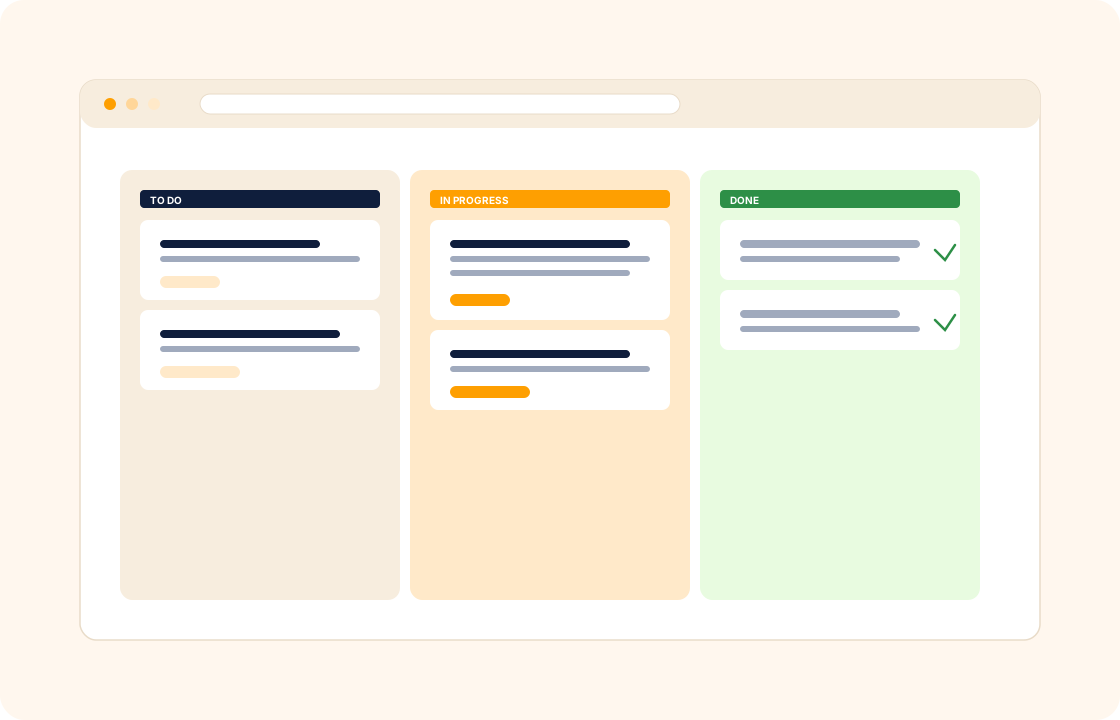
Generic project management tools are built for in-house teams with backlogs, sprints, and roadmaps. Freelance and agency work is shaped differently — it runs in client-shaped projects, each with a scope, a deadline, a budget, and a customer who needs visibility without being given access to your internal task board.
COLO ships project management built around client work. Every project links to its client, its proposal, its contract, and its invoices — so the work, the scope, and the billing stay in the same record.
TL;DR
COLO's project management is built around client work: every project links to its client, proposal, contract and invoices, and milestones and tasks inherit from the accepted proposal. Assign tasks and deadlines, track progress and budget against the plan, flag risks early, generate client progress reports without copy-pasting, and close the project to trigger the final invoice.
What you can do
- Plan the project against the signed scope — milestones and tasks inherit from the accepted proposal, so nothing slips through.
- Assign tasks, set deadlines, and prioritise — clear ownership without a stand-up.
- Track progress against the plan — see what is on track, what is at risk, and where the budget is going.
- Identify risks early and decide which to mitigate, defer, or escalate before they cost you a deadline.
- Generate progress reports for the client without copy-pasting from three tools.
- Close the project and trigger the final invoice in the same flow — no separate billing step.
For web designers
You ship a marketing site in six milestones — discovery, wireframes, design, build, content, launch. Each milestone has a fixed deliverable and a fixed fee. As each one ships, the milestone invoice fires automatically, the client sees progress on the portal, and the next milestone unlocks. No "are we on schedule?" emails, no forgotten invoices.
For design studios
Your studio runs five branded packaging projects in parallel for a fast-moving consumer brand. Each project has its own scope, its own deadline, and its own approval gate at the proof stage. The studio lead sees all five on one board, the client sees the one they own on the portal, and the per-project budget burns down visibly as designer hours log against it.
For interior designers
A residential project moves through three phases — design, procurement, installation — each with separate billing. The project board tracks tasks per phase, the client signs off on each phase before the next opens, and the supplier orders log against the procurement budget. At the end, the financial summary shows fee margin vs. supplier cost without a separate spreadsheet.
How it connects with the rest of COLO
Projects are downstream of the spine. Every project starts from a client record with a signed proposal and contract behind it — scope and price are not in question by the time work begins. Tasks inside the project use the same task management primitives, so individual work assignment and project-level planning share one model. As the project moves through milestones, invoicing and payments fire automatically on the agreed schedule. And progress visible on the client portal keeps the customer informed without giving them access to the internal board.
A day with project management
Monday morning, you open the workspace to six active projects — two web-builds, three brand-identity engagements, and a small content retainer. Each project shows its milestones, the open tasks, and the budget burn against the agreed fee. The Wednesday milestone for the larger web-build is on track; the brand-identity that is mid-concept has a feedback round overdue from the client; the content retainer's monthly tasks are pre-loaded from last month's template.
Through the week, work runs against the milestones rather than against a board nobody owns. The senior designer logs three hours on the brand-identity refinement; the time entry rolls into the project budget; the per-project margin updates in real time. When the client on the web-build pushes content delivery by a week, the milestone shifts; the dependent tasks update; the client sees the new launch date in their portal. No "FYI, slight delay" email goes out — the portal answers the question before the client asks.
By Friday the web-build's design milestone closes; the design-phase invoice fires; the project board moves the next milestone into active status; the next set of tasks unblocks. Six months later, when a similar project comes in, the closed project becomes the template — milestones, tasks, time estimates, and the QA checklist — and the new project opens with the lessons of the last one already baked in.
What it replaces in your stack
Most freelance and small-studio stacks pair a generic project tool with a separate billing app, a separate client-comms tool, and a spreadsheet for budget tracking. The four don't speak to each other; the budget vs. actual conversation happens at the end of the project, not the middle. COLO Project Management replaces the project layer and ties it to the rest of the workspace, so the project, the billing, the comms, and the budget live together.
| If you currently use… | You can replace it with |
|---|---|
| Asana | COLO Project Management |
| Monday.com | COLO Project Management |
| Trello | COLO Project Management |
The replacement is one for many — the project tool merges with the client record, the invoicing schedule, and the portal. Budget overruns surface mid-project, not at year-end review.
Pricing
Included on every plan — see our pricing for plan details.
FAQ
Q: Can I use a Kanban board, or am I locked into a list view?
Projects support list, board, and timeline views — pick what fits the project. A residential build might run as a timeline; a content retainer might run as a board.
Q: Can I track time against tasks?
Yes. Time entries log against tasks, roll up to project totals, and feed straight into invoicing — no separate time-tracking tool required.
Q: Can clients see the project board?
Clients see what you choose to share through the portal — typically high-level milestones and approvals, not internal tasks. You stay in control of what is client-visible.
Q: How does this compare with Asana or Monday for freelance work?
Generic tools assume an in-house team; COLO is built around client-shaped projects.
Every project ties back to a proposal, a contract, and an invoice schedule. For solo and small-team client work, that integration saves the per-project setup tax.
Q: Can I copy a project structure for the next client?
Yes. Save any project as a template — milestones, tasks, time estimates — and clone it for the next client with the dates rolled forward.
Q: Can I track per-project budget burn in real time as hours log?
Yes. Time entries log against tasks; the project's budget burn updates as hours accrue; overruns surface mid-project, not at the year-end review.
Q: Can I run dependencies between tasks so one cannot start until another ships?
Yes. Mark task B as dependent on task A; the dependency surfaces on the project board and the calendar. Useful when one piece of work has to ship before the next can begin.
Q: How do I share progress with the client without giving them the internal task board?
The client portal shows the milestones, the approvals waiting for them, and the next deliverable date. Internal tasks, drafts, and team comments stay on your side.
Q: Can I assign a project to a sub-contractor without giving them access to the rest of my book?
Yes. Invite the sub-contractor as a workspace user with access only to the projects they are staffed on; they never see the rest of the client book.
Q: How do I handle scope-creep mid-project?
The original signed proposal is one click from the project; out-of-scope requests become a separate change-order proposal against the same client record. The original project keeps its agreed milestones and budget.
Related
Pair project management with task management, client management, and invoicing and payments. Coming from a generic project tool? See the factual comparison at the Asana comparison.