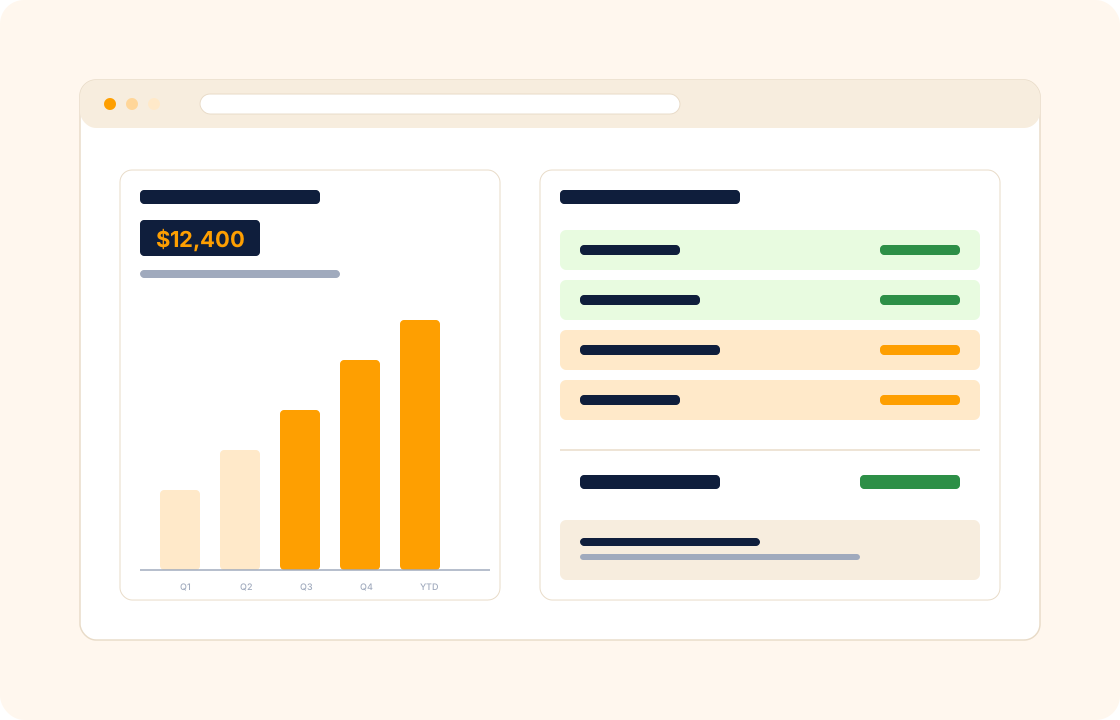
Most freelancers and small studios live between two tools: an invoicing app that knows what came in, and a spreadsheet (or an accountant's annual reconciliation) that knows what went out. The picture in the middle — what is actually profitable, what a client really costs to serve, how the year is tracking against last — only gets answered once a year.
COLO ships finance built around the way solo and small-team businesses actually run. Income from invoices, expenses from project costs, taxes set against your jurisdiction — and a real P&L that updates as the work happens.
TL;DR
COLO's finance module tracks budgets per project and per client, logs expenses against projects, sets goals against monthly, quarterly and annual targets, and builds a real P&L as the work happens. Income-and-expense reports generate automatically for the accountant or the tax filing, and budget variances surface in real time before an overrunning project eats the year's profit.
What you can do
- Manage budgets per project and per client — see how a retainer is performing against its agreed scope and price.
- Log expenses against projects — supplier costs, subcontractor fees, equipment, travel — so the margin per project is honest.
- Set financial goals and track performance against targets — monthly, quarterly, annual.
- Generate income-and-expense reports automatically — for self-review, for the accountant, for the tax filing.
- Monitor budget variances in real time so an overrunning project shows up before it eats the year's profit.
- Allocate resources effectively between client work, internal investment, and time off — with numbers, not gut feel.
For accountants
You run a small practice serving twenty bookkeeping clients on monthly retainers, plus a handful of ad-hoc engagements. The finance dashboard shows recurring income against forecast, expenses against budget, and the year-end P&L building as the months go. Client-by-client profitability surfaces the retainers that are eating more hours than the fee covers — useful when renewal conversations come round.
For consultants
A six-week strategy engagement looks profitable on paper, but the real cost is your time plus the research subscriptions and the travel for the on-site workshop. Expenses log against the project, so when the engagement closes you see the true margin — and the next quote reflects what the work actually costs to deliver.
For digital nomads
You bill clients in three currencies across as many time zones. The finance dashboard converts each invoice to your reporting currency on the day the payment cleared, so the P&L reflects what you actually earned — not what the headline invoice said. Expenses in local currencies on the road log the same way; year-end is one export, not a reconstruction.
How it connects with the rest of COLO
Finance is the downstream view of the workspace's activity. Invoicing and payments flows income directly into the finance dashboard — paid invoices post automatically. Project costs from project management (subcontractor fees, supplier orders, travel) log as expenses against the right project, so margin per project is honest, not guessed. Reports build on top of finance data to surface trends — best clients, most profitable services, slowest payers. And every line of income or expense traces back to a client record so the P&L is decomposable by relationship, not just by month.
A day with finance
Monday morning, the finance dashboard opens to a snapshot of the practice — income for the month against the same month last year, expenses against budget, outstanding receivables, paid versus unpaid invoices per client. The picture that used to take half a Sunday to assemble from three tools is on screen by default. The two retainers that have absorbed more time than the fee covers show in red on the margin column.
Through the week, expenses log against the work that incurred them. A sub-contractor invoice for a brand-identity project posts as a project expense; a travel charge for a client visit posts as a billable expense that surfaces on the next invoice; a software subscription posts as an overhead expense that hits the practice P&L. None of those entries required a manual reconciliation — they happened where the work happened.
By month-end the practice P&L is up to date by default. Revenue per client, expenses per project, margin per service line. The two unprofitable retainers prompt a Friday-afternoon renewal-conversation prep; the client whose work consistently shows the highest margin becomes the prototype for the next quarter's case study. The year-end export to the accountant takes one click, not three weekends of reconstruction.
What it replaces in your stack
For most freelancers and small studios, "finance" means an invoicing tool for income, a spreadsheet for expenses, a separate accounting tool for the year-end P&L, and an annual reconciliation with the accountant. The picture is only assembled once a year; the mid-year answer to "am I making money this quarter?" is a guess. COLO Finance ties income, expenses, and P&L into one live view.
| If you currently use… | You can replace it with |
|---|---|
| QuickBooks Self-Employed | COLO Finance |
| Wave | COLO Finance |
| Spreadsheet P&L | COLO Finance |
The replacement is one for many — the invoicing tool feeds the finance view, the project costs log as expenses, the P&L is up to date by default. For complex multi-entity finance, the CSV export pipes cleanly into a dedicated bookkeeping platform.
Pricing
Included on every plan — see our pricing for plan details.
FAQ
Q: Is this a replacement for QuickBooks or Xero?
For many solo and small-team freelancers, yes — income tracking, expense tracking, and P&L cover what most accountants need at year-end.
For complex multi-entity finance, a dedicated bookkeeping platform still has the edge, and COLO's CSV export pipes cleanly into either tool.
Q: Can I track expenses without a receipt?
Yes. Log the expense with a description, amount, and project assignment — receipt upload is optional. Useful for small expenses where the trace is more important than the paperwork.
Q: How does multi-currency work?
Each client can be set to a base currency. Income converts to your reporting currency on the day the payment cleared, using the prevailing rate. Expenses convert the same way. The dashboard shows both the native and the converted figures.
Q: Can my accountant access the data?
Yes. Export income, expenses, and P&L as CSV or PDF for handover, or invite your accountant as a workspace user with finance-only access — your call.
Q: Does this calculate tax?
Set tax rates per jurisdiction and per service type; COLO applies them to invoices and includes them in the financial summary. For complex tax situations, the export to your accountant remains the cleanest path.
Q: Can I see margin per project, not just revenue per client?
Yes. Project expenses (sub-contractors, supplier costs, travel) log against the project; revenue from invoices ties to the same project; the finance view rolls margin per project alongside margin per client.
Q: Can I set a budget per project and see the burn in real time?
Yes. Set a budget on the project; time entries and expenses burn against the budget; overruns surface mid-project. The "we ran over on hours" conversation happens early enough to do something about it.
Q: Can I track recurring expenses (software subscriptions, rent) separately from project expenses?
Yes. Overhead expenses log against the practice rather than against a specific project; the P&L shows revenue, project COGS, overhead, and net margin in one stack.
Q: Can I run quarterly tax estimates from the finance data?
Yes. The finance dashboard rolls income, deductible expenses, and net by quarter; combined with your jurisdiction's tax rate, you have a real-time estimate of next quarter's tax liability — useful for set-aside planning.
Q: Can I attach a receipt to an expense and reconcile against a bank feed later?
Yes. Receipt upload is optional; bank-feed reconciliation is supported where the bank integration is available. For markets without bank-feed support, CSV import covers the gap.
Related
Pair finance with invoicing and payments, reports, and client management. Coming from a dedicated accounting tool? See the factual comparison at the QuickBooks comparison.