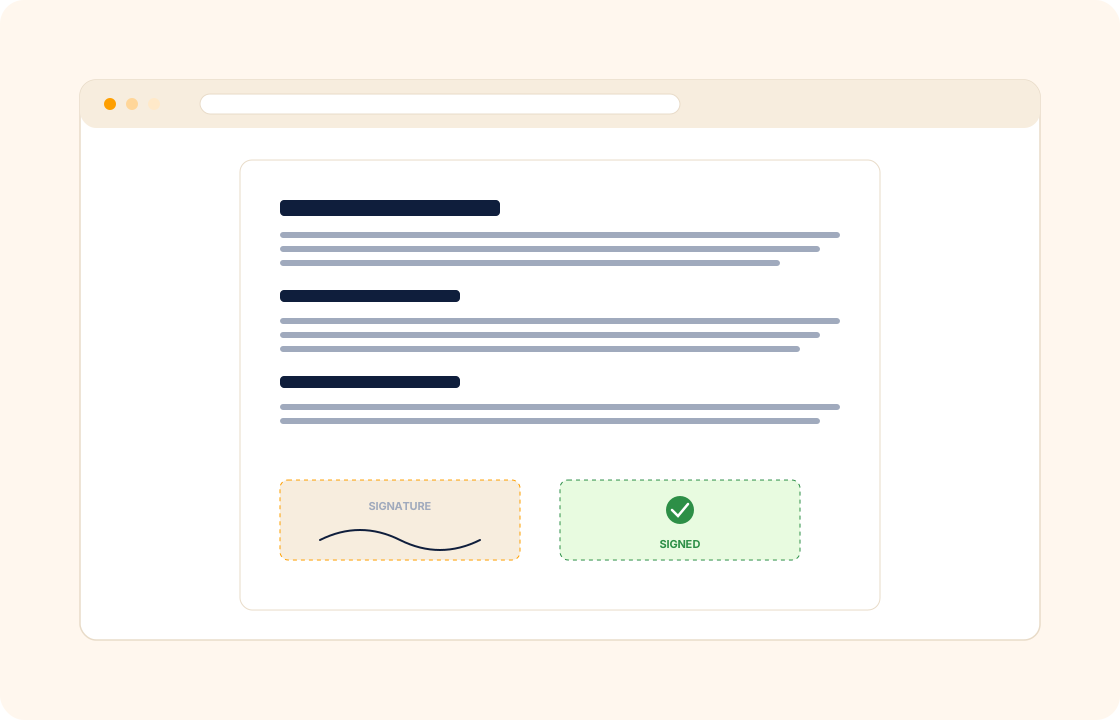
Most freelancers and small studios treat the contract as a chore. Open last year's Word document, change the name and the date, export to PDF, attach to email, wait for a printed-signed-scanned copy that lives in someone's downloads folder. The work starts before the contract is signed; the contract is "tidied up later" and sometimes never makes it home.
COLO ships contracts as a first-class part of the workflow. Reusable templates, inline e-signature, audit log, and a stored copy against the client record — every contract you sign, where you can find it two years later.
TL;DR
COLO's contracts are part of the workflow rather than a Word file: reusable templates per work shape, inline e-signature with no DocuSign tab or printer, party-specific signing order, a full audit log of who signed when and from which IP, version history so amendments never overwrite the original, and expiry reminders before a fixed-term contract or retainer lapses.
What you can do
- Build reusable contract templates for the work shapes you do most — fixed-fee, retainer, hourly, project-based.
- Sign inline with the client — no DocuSign tab, no PDF email, no printer.
- Hold party-specific signing order for contracts that need a witness or a second director on the client side.
- Keep a full audit log of every signing event — who signed, when, from which IP — timestamped and stored.
- Version history so amendments do not overwrite the original — you can show exactly what each party signed, on which date.
- Expiry reminders for fixed-term contracts and retainers — COLO surfaces the renewal date before the client does.
For photographers
You hold three contract templates — weddings, portraits, commercial — each with the right image-rights and usage clauses. A booking enquiry comes in, you send the matching template inside the proposal, the client signs on their phone, and the deposit invoice fires in the same flow. Two years later, when the couple asks about anniversary reprints, the exact terms they agreed to are one search away.
For lawyers
Solo and boutique-firm work needs engagement letters with fee structures, scope of representation, and conflict-check confirmation — not the same template every consumer e-signature tool ships. COLO holds custom engagement-letter templates per matter type. Each one is timestamp-signed, audit-logged, and stored against the matter record so reviewing prior terms takes seconds.
For illustrators
A commercial commission needs a clear usage-rights clause — what territory, what duration, what media. Reusable templates per usage profile (editorial one-off, brand campaign, perpetual licence) mean the right clause is in the right contract every time. The signed contract lives against the client record next to the deliverable — when the client comes back for renewal, the terms are visible without a re-read.
How it connects with the rest of COLO
Contracts sit in the middle of the workflow. Most contracts in COLO start life as an accepted proposal — the scope and price are already agreed, so the contract is mostly the legal frame around them. The signed contract attaches to a client record and becomes the source of truth for the project that follows in project management. The agreed payment schedule wires into invoicing and payments so the deposit, milestone, and balance invoices all fire on the right dates. One signed contract, one project record, one billing schedule — without rekeying the dates into a second tool.
A day with contracts
Monday morning, the proposal you sent on Friday gets accepted on the client's phone over coffee. The contract template tied to the proposal — your standard "fixed-fee project" template with the right scope, deliverables, and payment-schedule clause — has already been pre-populated from the proposal's data. The client sees a one-click "review and sign" link in the same flow, signs inline from their phone by 9:15am, and the deposit invoice fires automatically.
By Tuesday noon the signed contract is timestamped against the client record. The audit log records the signing event — who signed, when, from which IP — alongside the version of the template they signed. The deposit invoice has cleared by Tuesday afternoon; the project workspace has opened with the milestones from the scope; the milestone invoices are sitting on the calendar for the dates the contract names.
Wednesday afternoon, a different client whose contract you sent yesterday wants a small amendment — one clause changed about late fees. You issue an amendment against the original; the client signs the amendment from their portal; both versions live against the client record. Six months later, when a third client asks whether they can extend the engagement, the original contract is one click away; the renewal addendum goes out in two minutes; the audit trail shows every signing event in order.
What it replaces in your stack
For most freelancers and small studios, contracts mean a PDF template in Word, a separate e-signature tool, and a folder somewhere on a drive holding all the signed PDFs. The PDF template gets out of sync with the actual scope you quote; the e-signature tool charges per envelope; the folder is never quite organised. COLO Contracts replaces all three — template authoring, e-signature, and durable storage on the client record.
| If you currently use… | You can replace it with |
|---|---|
| DocuSign | COLO Contracts |
| PandaDoc | COLO Contracts |
| HelloSign / Dropbox Sign | COLO Contracts |
The replacement is one for many — the three subscriptions become one, the signed document lives on the client record where the project, the invoice, and the conversation also live, and renewals or amendments stop being archaeology.
Pricing
Included on every plan — see our pricing for plan details.
FAQ
Q: Is an inline e-signature legally binding?
E-signatures in COLO are timestamped, audit-logged, and meet the standards used by law firms, HR teams, and procurement departments. For most freelance and small-agency work they replace the DocuSign-plus-PDF round-trip entirely.
Q: Can I send a contract without a proposal first?
Yes. Many engagements start with a contract directly — a retainer renewal, a quick fixed-fee task, a referral that needs paperwork before the work begins. The contract record stands alone or links to a proposal, whichever fits.
Q: Can two people on the client side sign the same contract?
Yes. Set a signing order — for example, the founder signs first, then the operations lead — and the contract requests each signature in turn. The audit log records every signer.
Q: What if I need to amend a signed contract?
Issue an amendment that links back to the original. Both versions live against the client record; the audit log shows what changed, when, and who approved it. Nothing gets overwritten silently.
Q: Can I export a signed PDF for my files?
Yes. Every signed contract is available as a PDF with the audit log appended — useful for accountant records, legal requests, or your own filing system.
Q: Can I add a witness or co-signer requirement on the client side?
Yes. Set the signing order to include a second signer — for example, the founder plus the operations lead — and the contract requests each signature in turn. The audit log records both signers.
Q: Can I send a contract for signature without an inline edit by the client?
Yes. Many engagements ship the contract as a fixed, non-editable agreement; the client signs as-is or requests an amendment which you issue as a separate version. The contract's editable-by-client state is configurable per template.
Q: How do I handle contract renewals on annual retainers?
Set the expiry reminder on the contract; COLO surfaces the renewal date 30 or 60 days ahead of expiry; the renewal addendum is one click from the original record.
Q: Can I attach a separate NDA before the main contract is signed?
Yes. Send an NDA as a standalone contract record against the client; once signed, the main project contract follows. Both live against the client record with their own audit logs.
Q: Can I use contracts for vendors as well as clients?
Yes. Vendor agreements, sub-contractor letters, and partner contracts all use the same flow as client contracts — template, e-signature, audit log, durable storage. Each one lives against the right party in your workspace.
Related
Pair contracts with proposals, invoicing and payments, and client management. Comparing with a contract-focused competitor? See the factual comparison at the HoneyBook comparison.