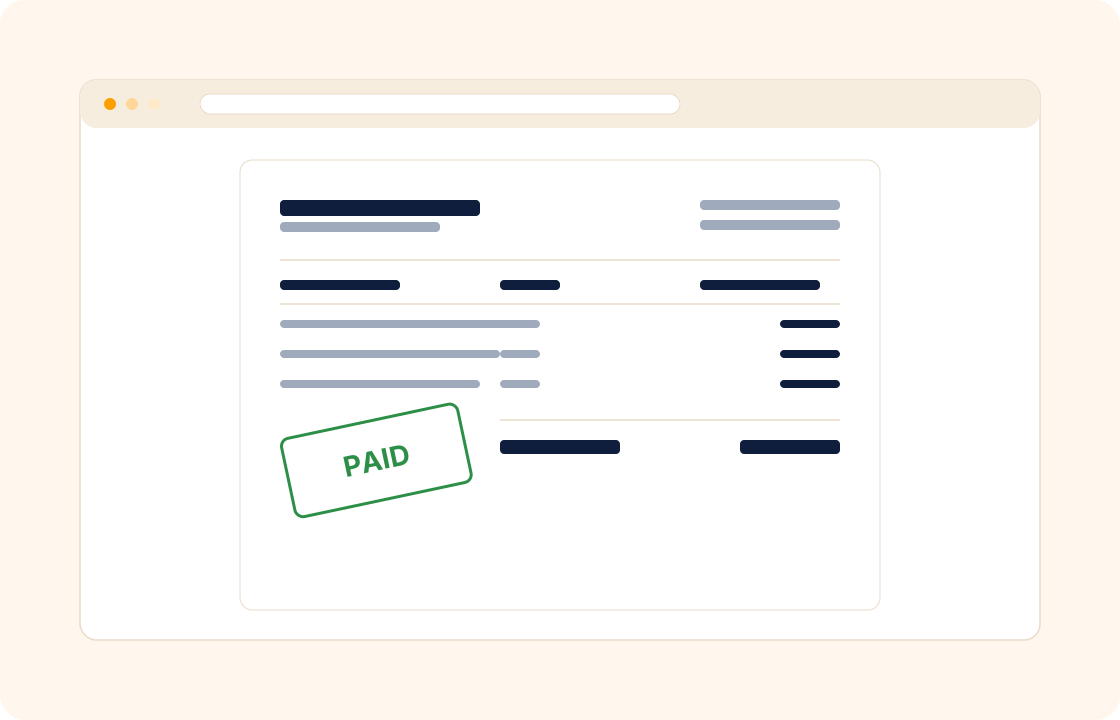
Invoicing is the part of freelance and small-agency work that compounds: the more clients you take on, the more time the billing eats. A spreadsheet of issued invoices, a separate payment processor for cards, a third tool for reminders, and a fourth for the year-end accountant export — none of them talking to each other, all of them charging a monthly fee.
COLO ships invoicing and payments as one flow. Issue an invoice from the project it relates to, send it to the client, let them pay by card from the same screen, and watch it post back to your financial dashboard automatically.
TL;DR
COLO's invoicing and payments run as one flow: issue an invoice from the project it relates to, let the client pay by card from the portal without leaving the invoice, and watch it reconcile to the right project automatically. Recurring invoices cover retainers and standing orders, automatic reminders chase late payers, and invoices can go out in any currency.
What you can do
- Send professional invoices directly from a project or client — no re-typing the address, no re-attaching the contract.
- Take online payment in the same flow — clients pay by card from the portal without leaving the invoice.
- Schedule recurring invoices for retainers, subscriptions, and standing orders — set once, fire monthly.
- Send automatic reminders to late payers on a polite cadence — without the awkward personal "just following up" email.
- Send invoices in any currency — useful when your clients are not in your home market.
- Reconcile payments to the right project automatically — no end-of-month rebuild from bank statements.
For copywriters
You bill per word on long-form articles and per project on landing-page work. Every accepted brief generates the invoice schedule — half on commission, half on delivery — and the client pays the deposit before you start drafting. The balance invoice fires the day the final draft lands. No spreadsheet of "who owes me what for which piece" ever again.
For virtual assistants
Four retainer clients, four monthly invoices, four different rates. Set each one as a recurring invoice and they fire on the first of the month, every month, with the right rate against the right client. If a client adds extra hours mid-month, log the time and the next invoice picks up the overage automatically.
For accountants
You bill small-practice clients monthly for bookkeeping, plus annual fees at year-end and ad-hoc consulting in between. Recurring monthly invoices handle the bookkeeping line; the annual fee fires once a year on the same date; the ad-hoc work invoices from the time log. Every line traces back to the client record without a year-end reconciliation marathon.
How it connects with the rest of COLO
Invoicing closes the loop. Every invoice ties back to a client record, so the billing history is one tab away from the client profile — useful for the next renewal conversation. Most invoices in COLO originate from a proposal or a contract that has already set the payment schedule, so issuing the invoice is a confirmation, not a fresh decision. Received payments post into finance automatically — your income, your outstanding receivables, and your P&L update without a manual entry. And the client pays from the same client portal they sign contracts on, so the entire money flow lives in one branded surface.
A day with invoicing and payments
Monday morning, six recurring retainer invoices fire automatically for the new month — three in USD, two in EUR, one in GBP, each at the right rate for the right client. By Tuesday afternoon four have cleared by card from the portal; the other two are queued in the polite-reminder window. No spreadsheet was rebuilt; no "did I forget to invoice client B?" conversation happened; no manual reconciliation was needed.
Through the week the milestone invoices fire on the dates the contracts named. A web-build project's design phase closes Wednesday; the design-phase invoice fires Wednesday afternoon; the client pays from the portal that evening; the finance dashboard updates the receivables line in real time. On Thursday, a client emails asking for a quick out-of-scope addition — the new invoice line goes out from the same client record in two minutes, paid the next morning. The "where do I send payment" conversation is gone because the client always knows: the portal.
By the end of the month, the finance dashboard shows what cleared, what is outstanding, and what is due in the next 30 days. The accountant export is one click. The polite-reminder cadence has chased the two late invoices without you sending a single "just following up" email by hand. The year-on-year revenue chart, which used to take half a Sunday to rebuild, is up to date by default.
What it replaces in your stack
For most freelancers and small studios, invoicing means a billing app, a separate payment gateway for cards, a third tool for reminders, and a fourth for the year-end accountant export. Each one is a monthly subscription; none of them speak to each other; the spreadsheet that holds the truth gets rebuilt every quarter. COLO Invoicing replaces all of those with one flow on one record.
| If you currently use… | You can replace it with |
|---|---|
| FreshBooks or Wave | COLO Invoicing & Payments |
| QuickBooks invoicing | COLO Invoicing & Payments |
| Stripe Invoicing | COLO Invoicing & Payments |
The replacement is one for many — the billing tool, the payment processor connection, and the reminder cadence become one workspace. The data lives in one record; the client pays from one portal; the year-end export is one click.
Pricing
Included on every plan — see our pricing for plan details.
FAQ
Q: Does COLO support recurring invoices?
Yes. Set a recurring schedule — monthly, quarterly, annual, or a custom cadence — and the invoice fires automatically on the right date. Useful for retainers and subscriptions.
Q: Does COLO charge a fee on online payments?
COLO does not add a fee on top of online payments. Standard payment processor fees apply (card processor charges), but COLO does not add a surcharge on the transaction.
Q: Can I issue invoices in multiple currencies?
Yes. Each client can be set to a base currency. Invoices issue in that currency, online payment collects in it, and your finance dashboard converts to your reporting currency on the day the payment cleared.
Q: Can I send an invoice without a proposal first?
Yes. Many invoices in COLO originate from a proposal, but you can also issue one directly from the client record — useful for ad-hoc work, late additions, and one-off charges.
Q: What happens when a client pays late?
COLO sends a polite reminder on the schedule you set — a few days after the due date, then again a week later if needed. You see the unpaid invoices on your dashboard so the awkward follow-up email is rarely necessary.
Q: Can I attach a VAT or other tax ID to my invoices?
Yes. Set your business tax IDs on your workspace profile; they appear on the invoice as required by the destination country's tax rules. Useful for cross-border B2B work.
Q: Can the client pay by bank transfer instead of card?
Yes. Each invoice can include bank-transfer details alongside the card-payment option; the client chooses; the payment is captured against the same invoice either way.
Q: Can I generate a credit note or refund against a paid invoice?
Yes. Issue a credit note that references the original invoice; the credit shows on the client portal and on the finance dashboard. Refunds against card payments flow back through the same processor.
Q: Can I schedule payment reminders to fire only on weekdays?
Yes. Reminder cadence is configurable — typically polite, configurable to escalate, and able to skip weekends or specific dates. The reminder is sent without your manual intervention.
Q: Can I issue an invoice with multiple line items for different services?
Yes. Each invoice supports multiple line items with their own quantity, rate, and description. Useful for project work that bundles a fixed fee with line-itemed add-ons or pass-through expenses.
Related
Pair invoicing with finance, contracts, and client portal. Coming from a dedicated invoicing tool? See the factual comparison at the FreshBooks comparison.